Frosting AI

 Loading...
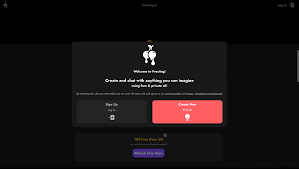
Frosting AI keeps things unusually simple. There’s no long setup, no forms, no steps before you can try anything. You land on the page, write a prompt, and the image appears a few seconds later. That immediacy is the main appeal. It feels less like software you have to learn and more like a sketchpad that reacts to whatever you write.
Different models, different moods
Behind the simple surface, you can choose between several AI models. Each one interprets prompts a little differently, which makes it easy to explore the same idea from multiple visual angles. You can switch models, adjust your wording, and quickly see how the style shifts. It’s a comfortable way to experiment without getting lost in settings.
For people who want more control, there’s an optional subscription. It opens up extra parameters and tools that let you fine-tune results more precisely and even work with features like turning images into short dynamic outputs. But these are additions, not requirements.
Fast enough for ideas, flexible enough to go further
Frosting AI works well for quick concepts when you just want to see an idea take shape. At the same time, the extra controls give more experienced users room to push their images further when they feel like it. The interface stays clean and readable throughout, so the creative part never feels buried under technical steps.
A lightweight entry into AI visuals
What makes Frosting AI stand out is how little stands between you and the result. You don’t need an account to start. You don’t need to understand the system before using it. You just try things, adjust, and see where it goes.
Categories Included
• Instant Prompt-to-Image Generation
• No Registration Required
• Multiple AI Model Options
• Optional Advanced Controls
• Clean & Simple User Interface
• Fast Concept Exploration
• Image-to-Video Conversion (Premium)